Products
Adding Products to Server
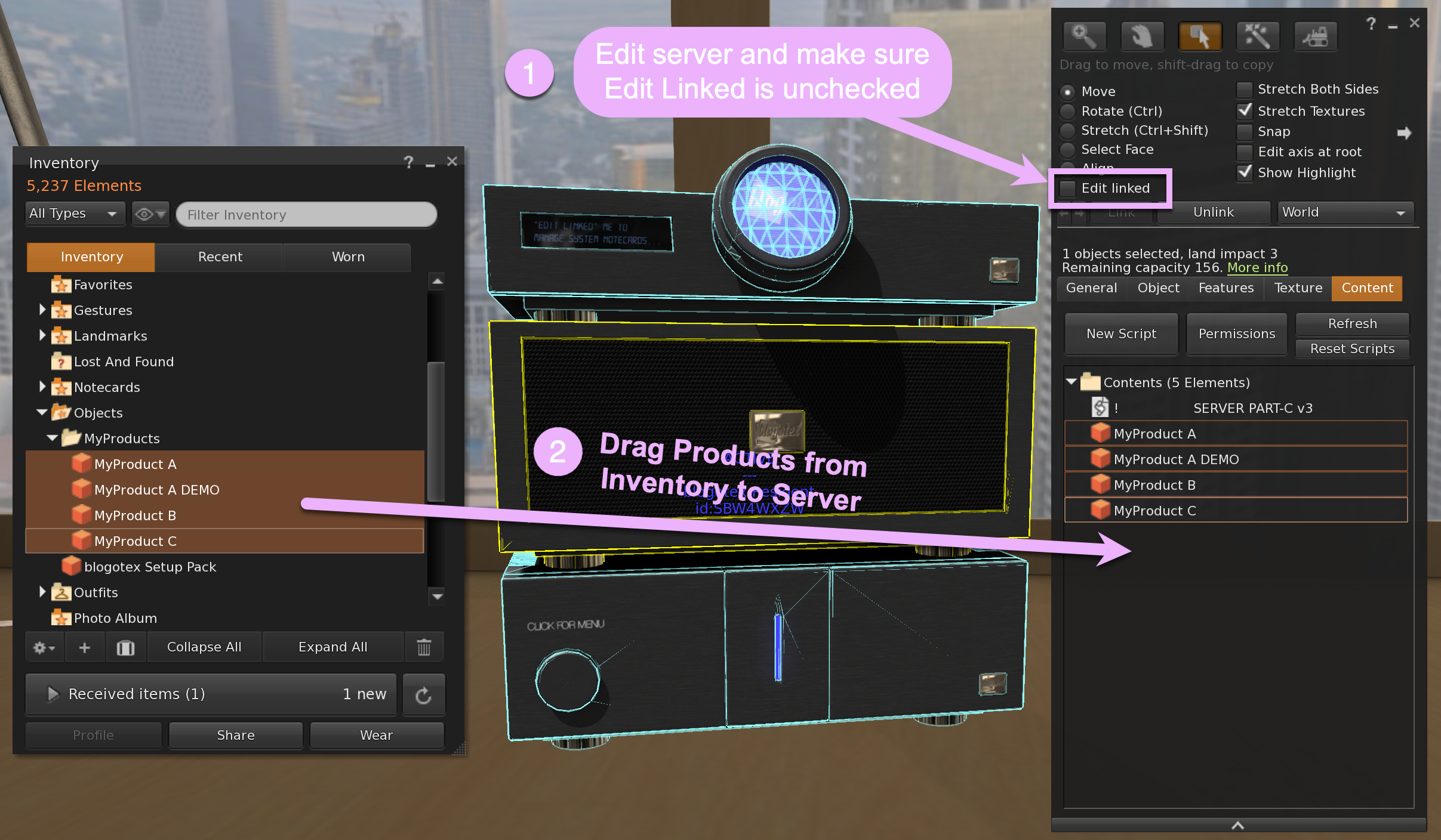
Products must be placed in your Blogotex Server’s root prim. Simply “edit” the server and add your products to the root prim content. When editing the server’s content, please ensure the server’s scripts remain untouched, as removing them will ruin the server’s functionality.
You can also link a demo to the product, allowing bloggers to try it before committing to blogging it. To link a product and its demo, use the product's name. Simply add DEMO before or after the product name. For example, MyProduct refers to the full product, while MyProduct DEMO or DEMO MyProduct will be recognized by the system and linked as a demo version of your product.
Updating Products List
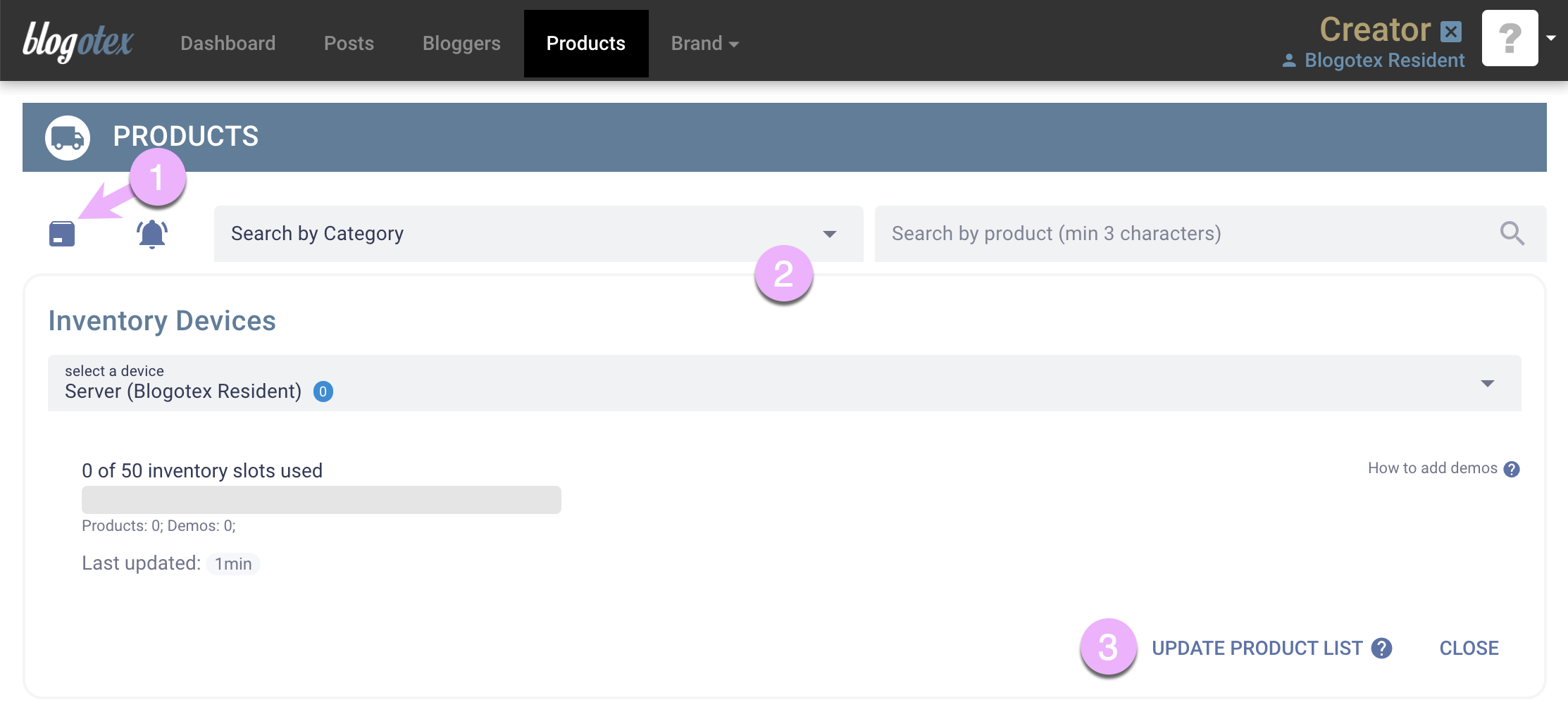
Next, please go to Products.
- Click the box icon.
- This will expand the Inventory Devices pane.
- Click the Update Product List button to update your Blogotex inventory based on the items in your in-world server.
Customizing Product Details
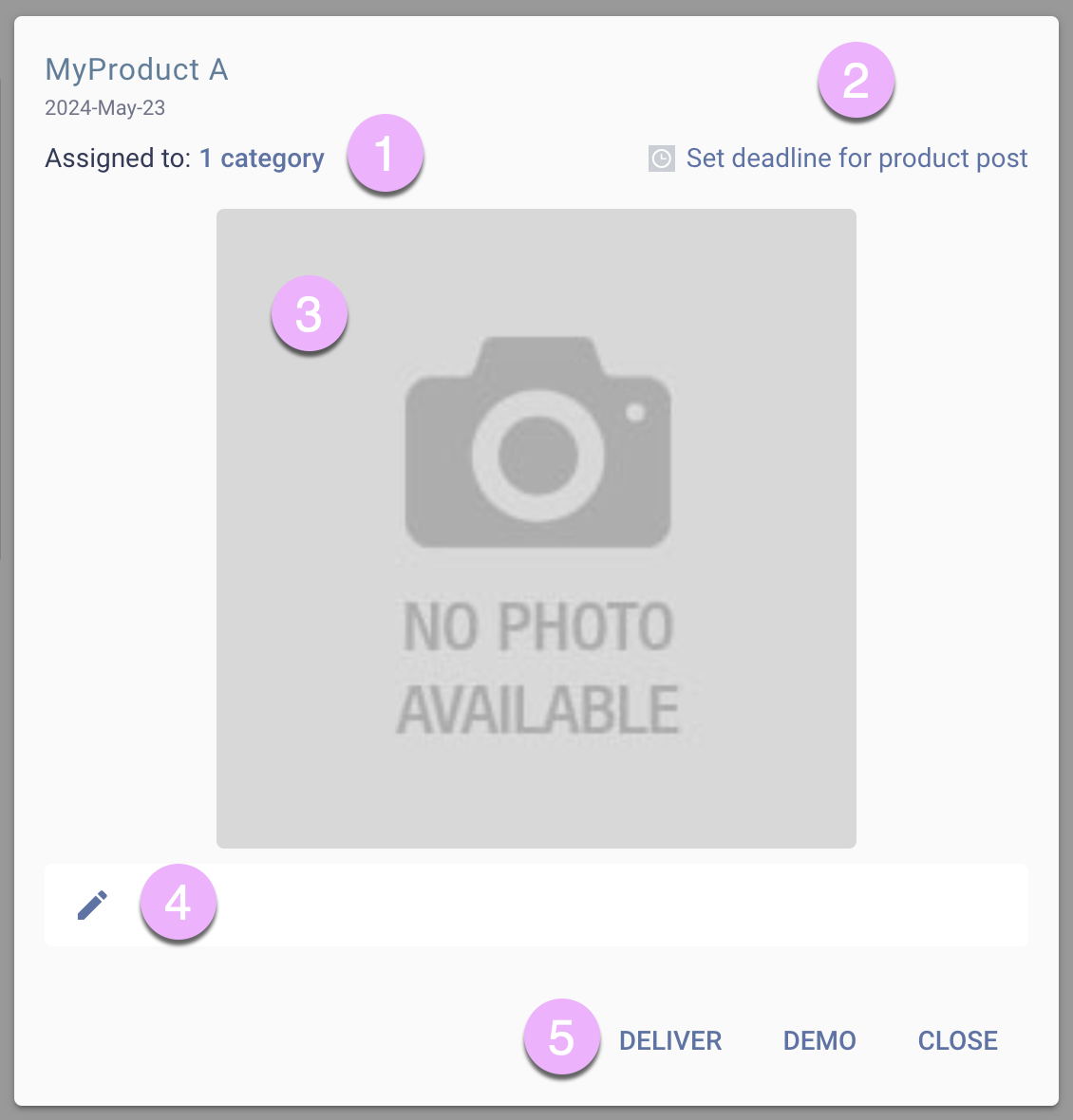
Now that products are visible in Blogotex, you can click on each one individually to:
- Assign categories.
- Set product-related deadlines (this will work in conjunction with your general deadline settings, which you can customize under
Brand->Settings). - Upload product images.
- Edit descriptions.
- Test product and demo delivery in-world.
Highlighting New Products
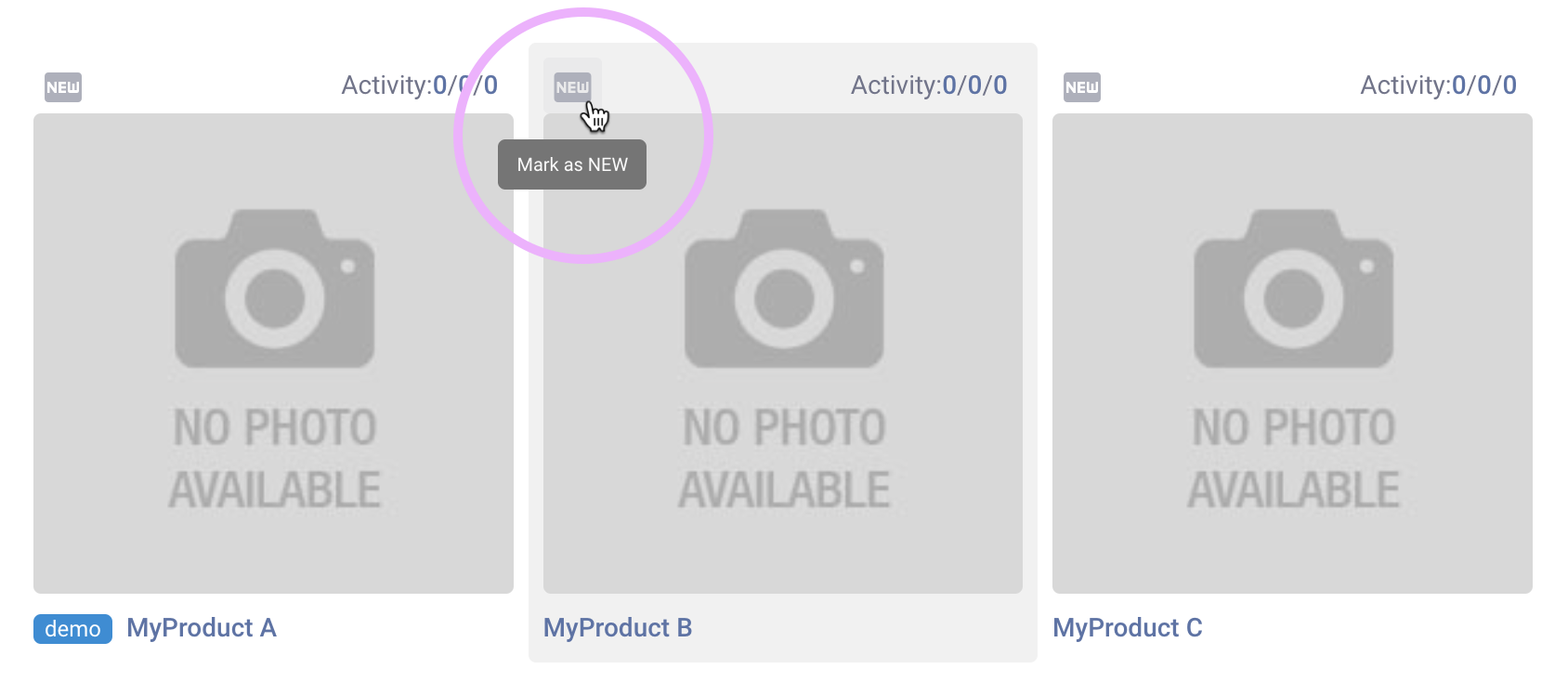
For newly added products, click this little icon to highlight them as new. These marked products will stay at the top of your list for 30 days, making it easy for bloggers to spot the latest additions.
Product Stats
Once bloggers start blogging your products, these three metrics (see picture above where it says Activity: 0/0/0) will give you better clarity on how well your product is performing:
- Number of accepted posts featuring this product.
- Number of bloggers who received the product but haven’t posted about it yet.
- Number of bloggers who only tried the demo and showed no further interest in the product.
Clicking on each number will display a list of entries corresponding to that metric.
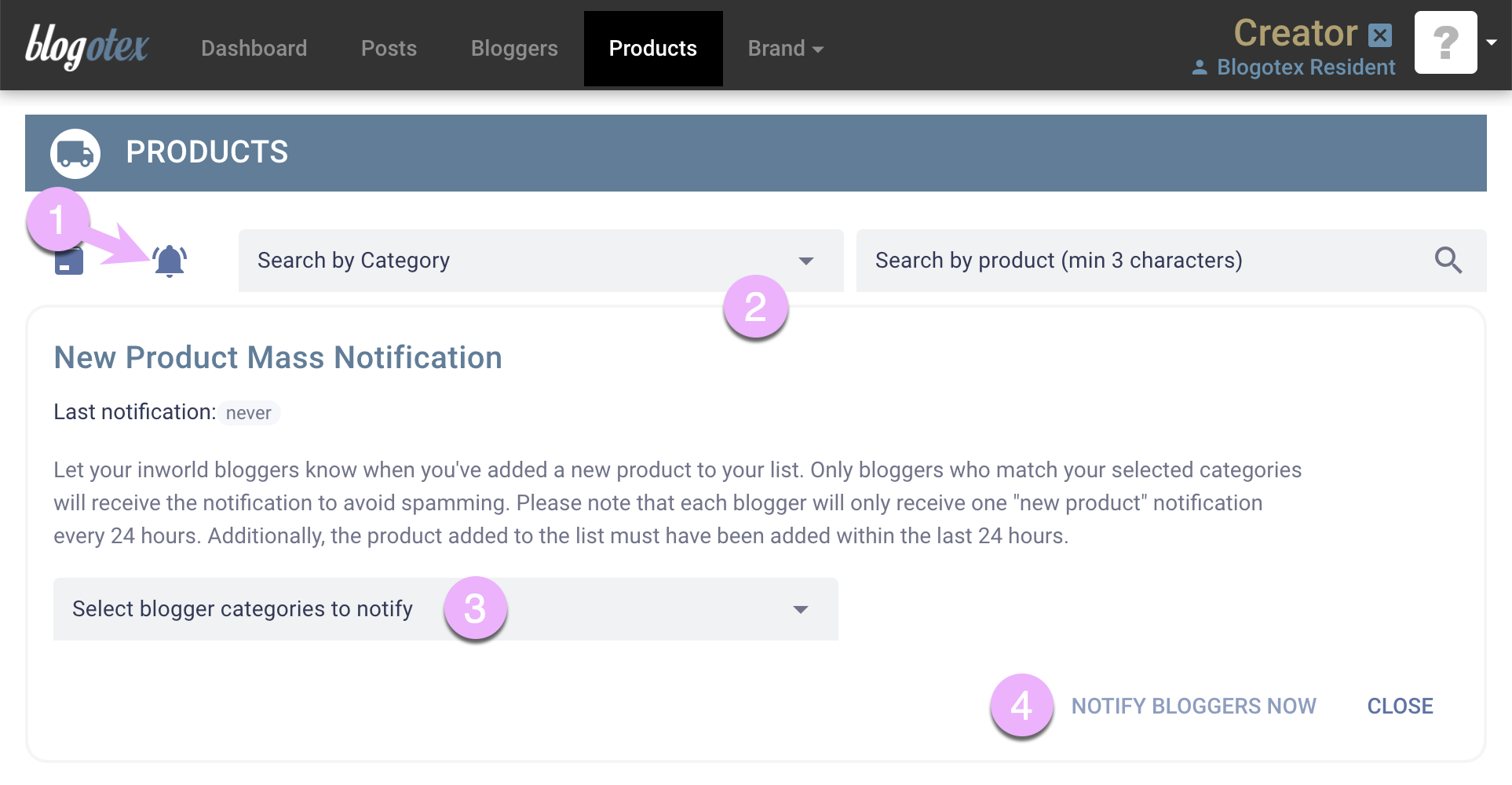
New Product Mass Notification
Once you have added new products, you can mass-notify your bloggers about the additions.
- Click on the bell icon.
- The New Product Mass Notification pane will expand.
- Select which category of bloggers you want to notify.
- Click Notify Blogger Now and system will send out Blog New Product notecard from your Blogotex Server inworld.