Categories
Blogotex categories help manage product access for bloggers. Bloggers and products share the same category list. Here's how to use it:
- Assign bloggers to one or more categories to give them access to products in those categories.
- Assign products to one or more categories to make them available to bloggers in those categories.
- Ensure both bloggers and products are assigned to at least one category; otherwise, bloggers won't see those products.
For example, if you have a category called "Accessories," assign bloggers who review accessories to this category. Then, assign all accessory products to the same category. This way, the bloggers can access and review these products. If a blogger or a product isn't assigned to any category, the blogger won't see the product.
In other words, categories create a crosslink between bloggers and products. Both must share at least one category for the bloggers to access the products.
Please edit your categories here: Brand->Categories.
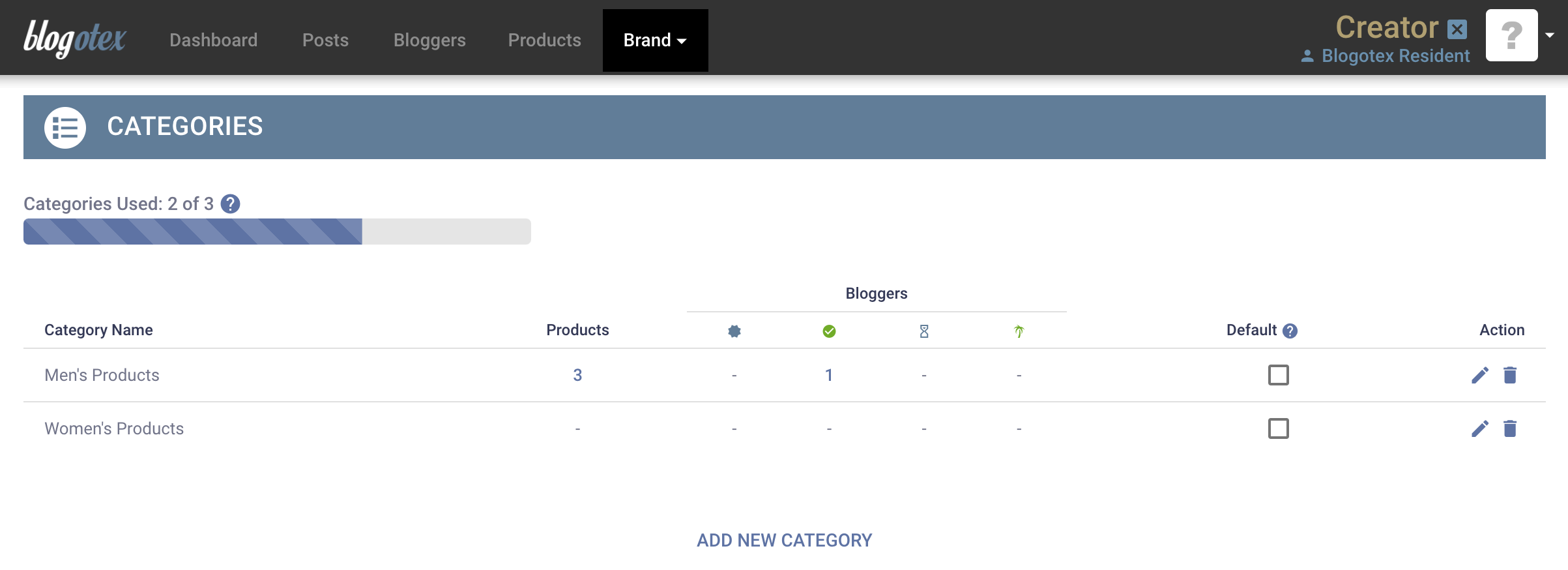
Check the default category checkbox to automatically add this category to new products you add to the server.
It is advised to use broader categories if possible, as this allows for easier management in the long run.
There's also no need to use a "Unisex" category if you already have "Men's" and "Women's" categories. Unisex can be achieved by assigning both "Men's" and "Women's" categories to the same product.
Managing Categories
Bloggers will specify their categories when filling out the application form, indicating which types of products they are interested in blogging. You can customize their selection later if needed.
You will specify the product categories when adding new products to the server (this will be covered in the next section).