Red Flagging
Red flagging allows managers to warn a blogger that their performance is unsatisfactory. The blogger must improve, or the manager may decide to remove them from the team if they do not meet the requirements. This serves as a warning and provides the blogger an opportunity to correct their performance.
How to Set a Red Flag
You can set a red flag either from the Bloggers section’s Action column:
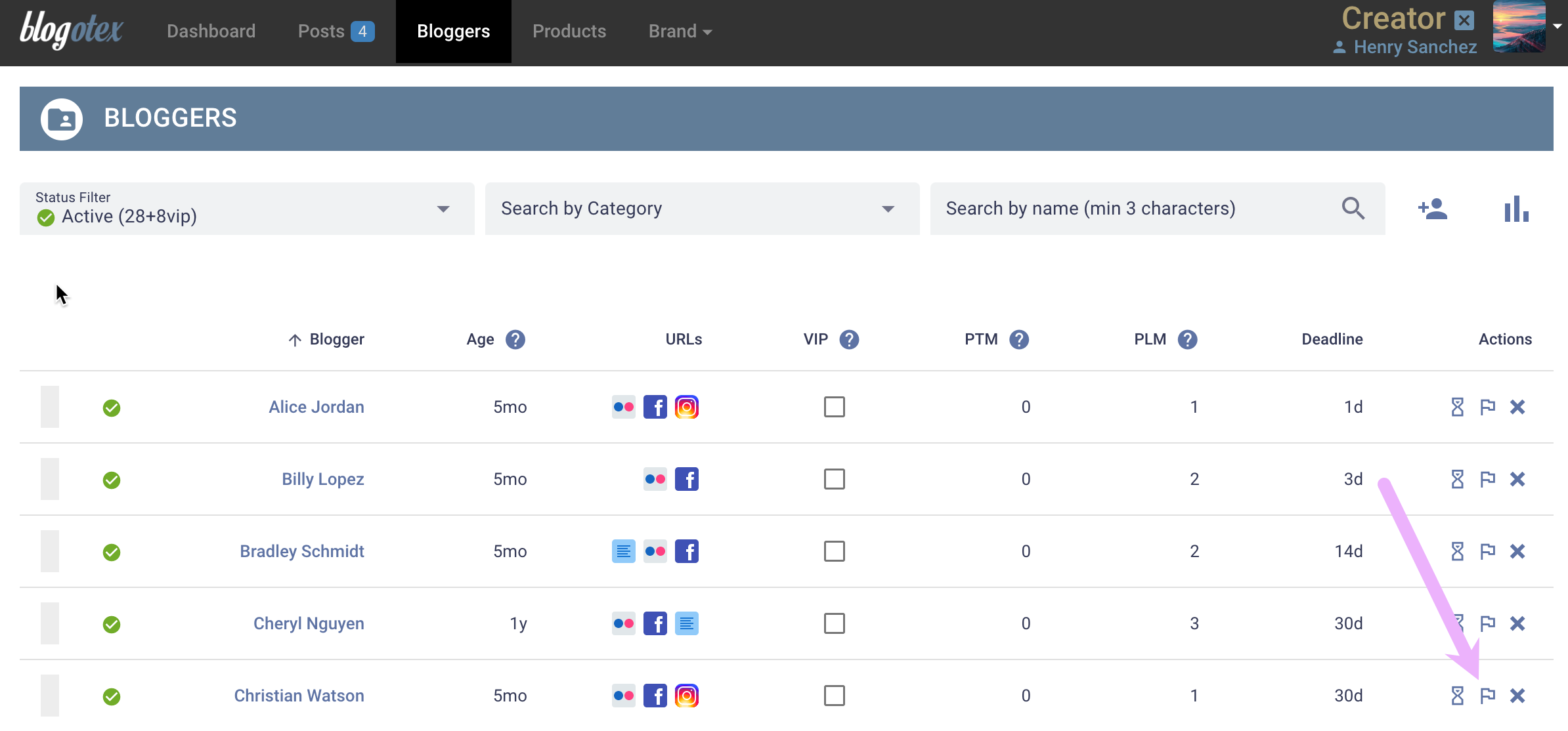
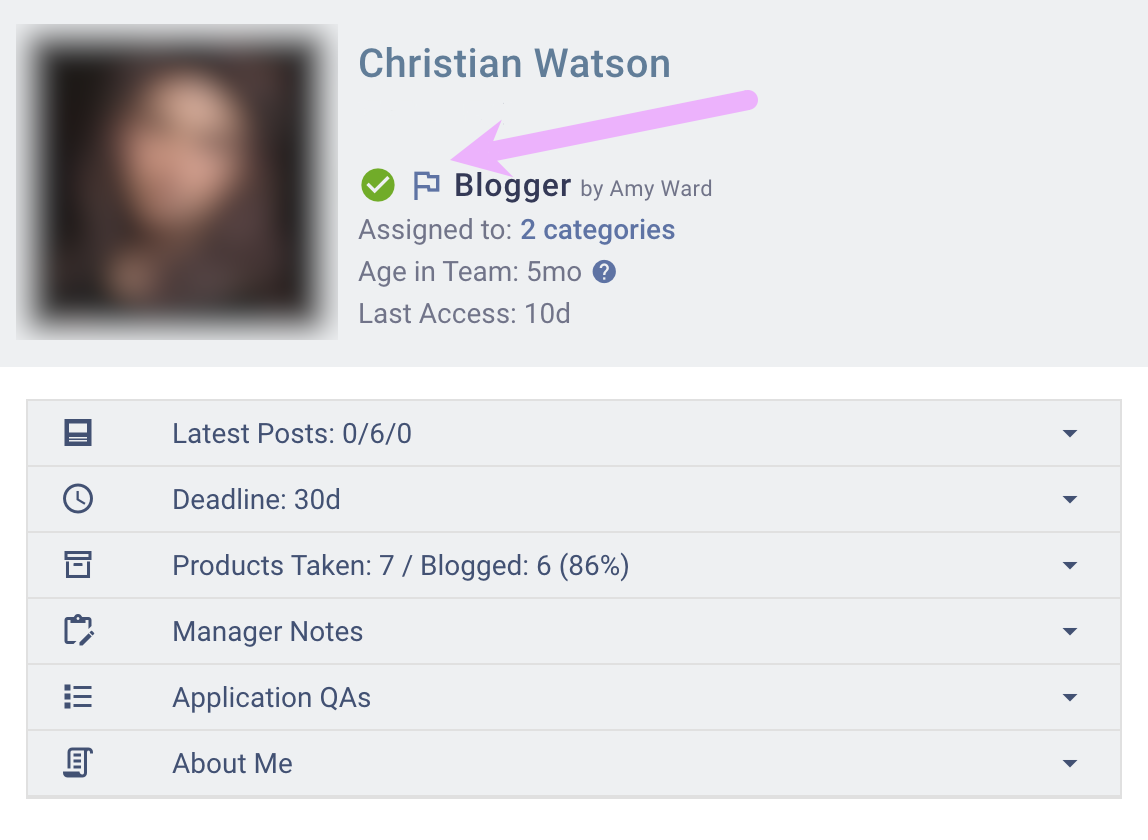
Alternatively, open the blogger’s profile from any section displaying their name and click the flag in their profile.
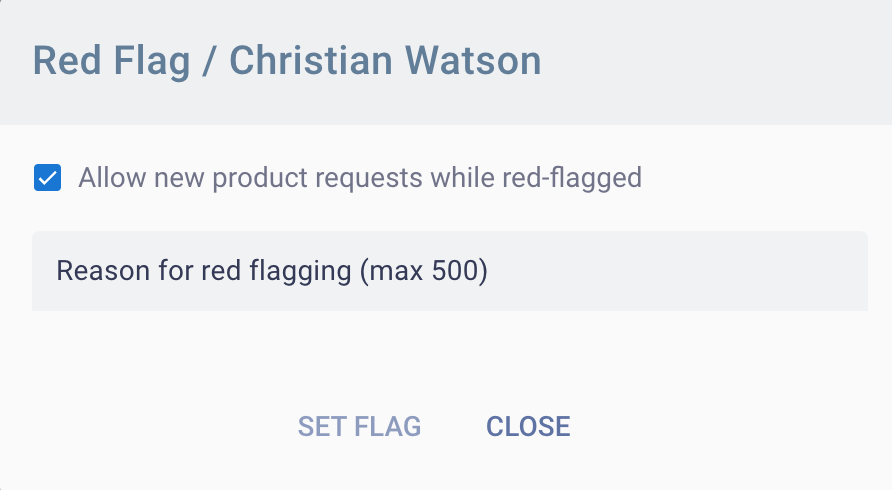
If the blogger should not be able to take any new products while the red flag is active, please uncheck the checkbox. Specify in the comment why you are issuing a red flag and what the blogger needs to do to have it removed.
Further Communication on Red Flag Issue
Once a red flag is set, the blogger will see it on their dashboard.
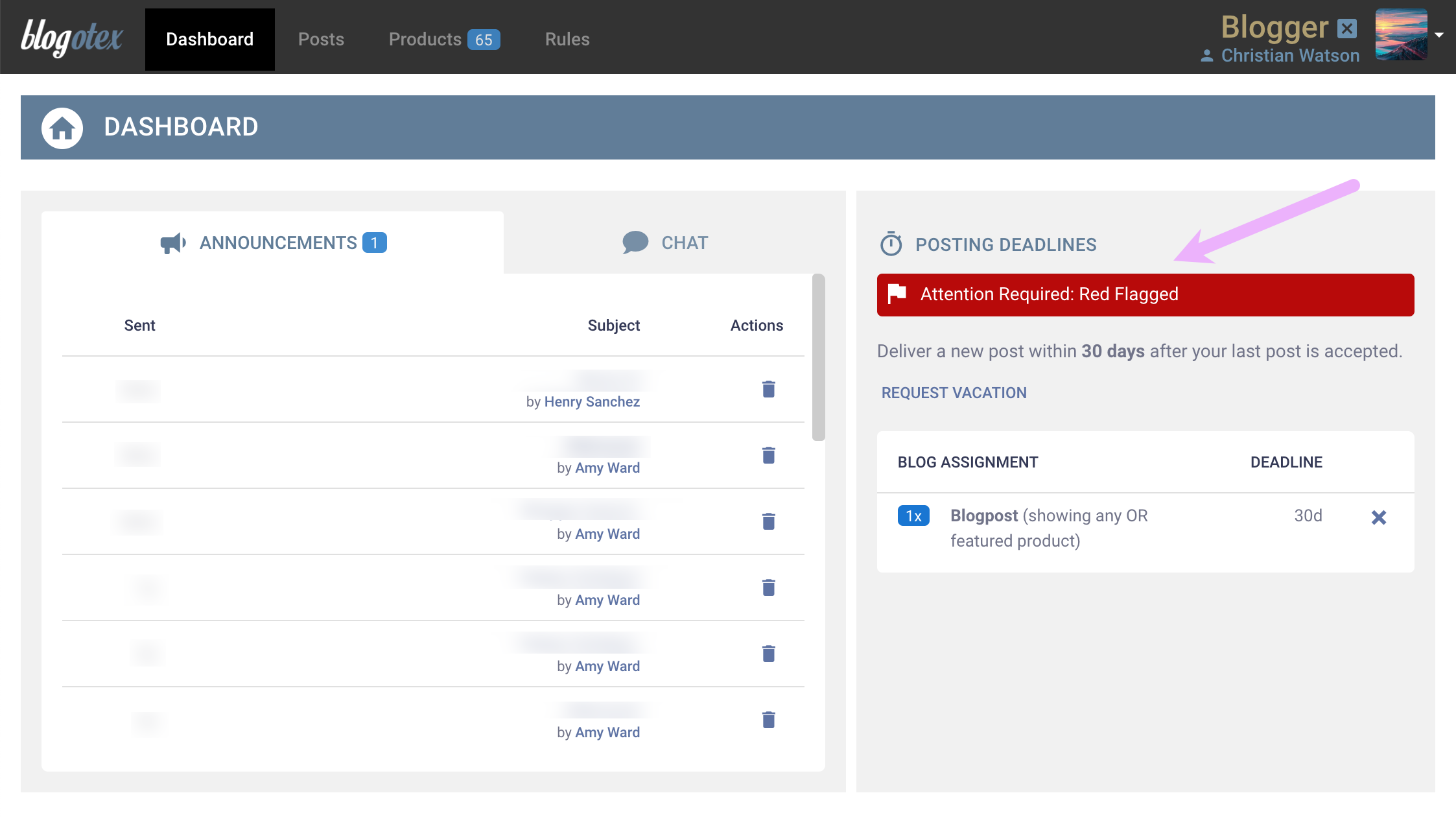
Clicking the red button will reveal the red flag’s details, and the blogger can reply. There is no limit to how many times each party can comment. The entire conversation will be available in a scrollable area.
Screenshot unavailable.
Tracking and Managing Red Flag Replies
To ensure you don’t miss any replies, the names of bloggers with unread red flag comments will be listed in Bloggers
section. Clicking on any of these names will bring up the red flag window, where you can continue the discussion or if
the issue is resolved, simply remove the flag.
Screenshot unavailable.