Creating Rounds
Event round consists of two periods:
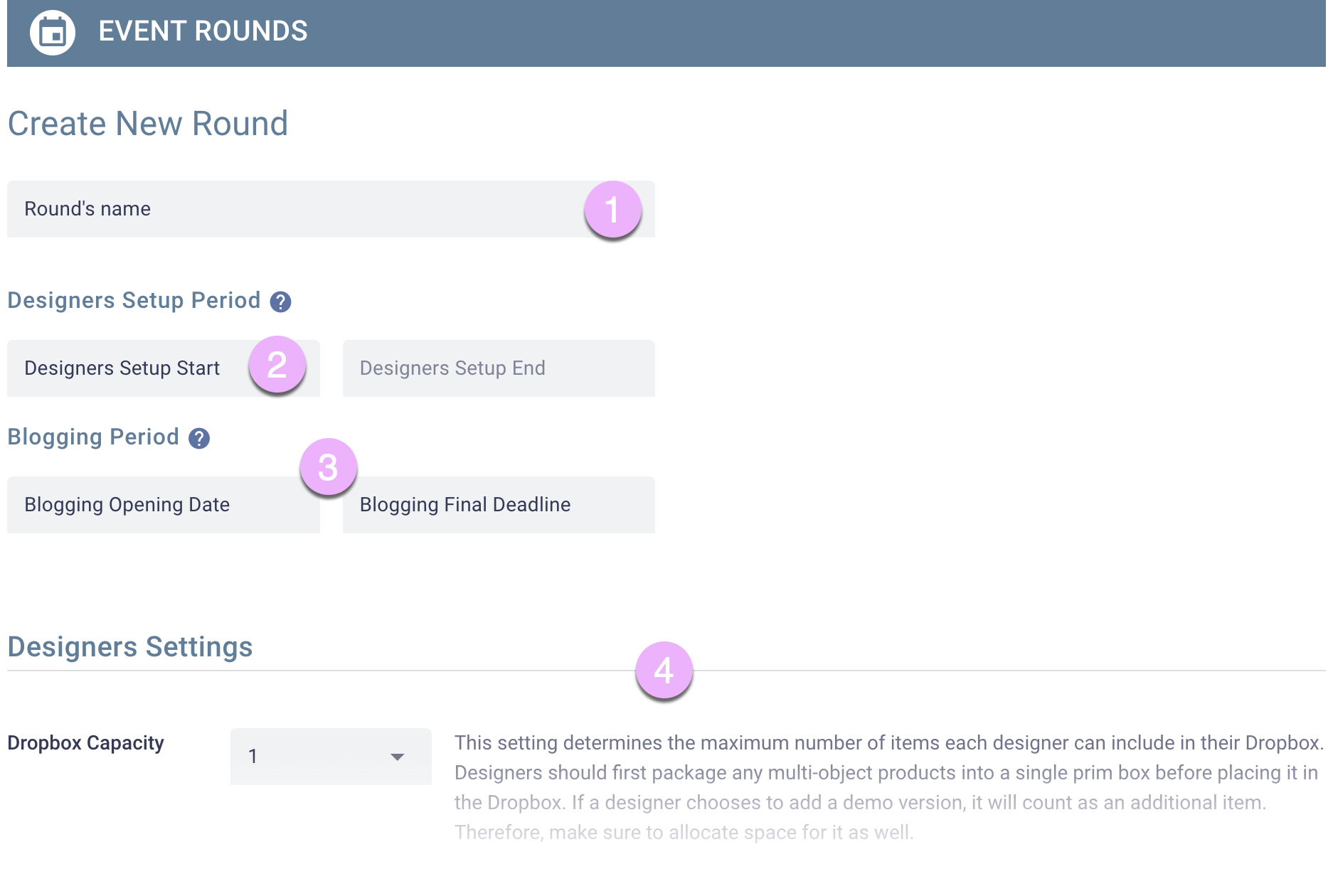
- Designer Setup Period Designers will work on preparing their Dropboxes. Your role is to ensure that everyone has set up properly. On the first day, the system will automatically distribute Dropboxes and notecards containing setup instructions to all designers assigned to this event round.
- Blogging Period Bloggers gain access to the available products and their deadlines begin to count down, lasting until the final day of the blogging period.
To create a new event round, please go to Event->Rounds and click Create New Round.
- Give the round a name.
- Specify the starting date for the Designer Setup Period; the ending date is calculated based on the starting date you enter in the next step.
- Specify the dates for the Blogging Period.
- Adjust Designer Settings and Blogger Requirements.