Adding Designers to Round
In each event round, only the designers you specifically add will be included, while all bloggers participate by default.
To add designers, go to Event->Rounds, select the round you're preparing to launch, and scroll to the bottom.
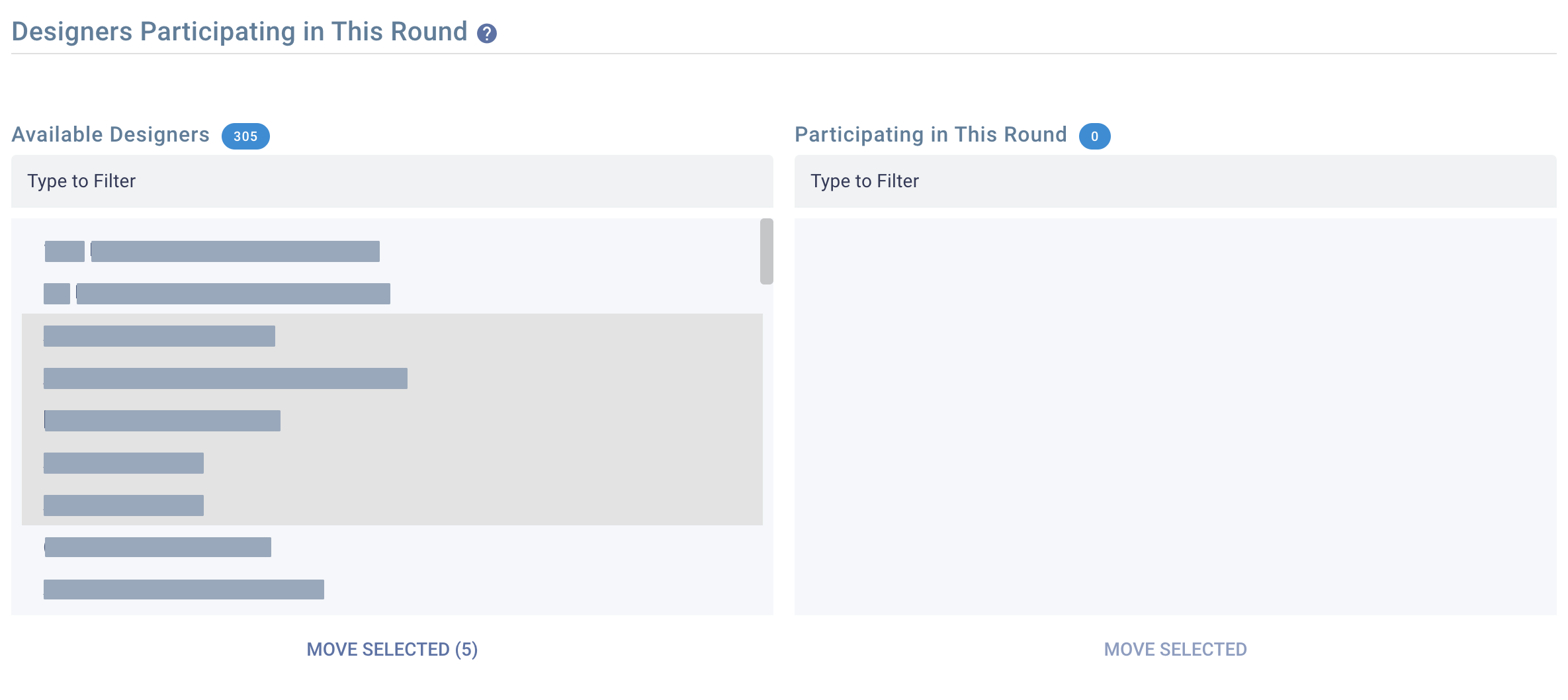
On the left side, you will see all the designers you have previously accepted to your event. On the right side are those who are assigned to participate in this round. Select the designers you want to add to this round and click Move Selected to assign them.
For each designer added to the round, a fixed fee will be deducted according to your subscription plan.
You can also delegate this task to your manager. If so, it's advisable to pre-upload funds to your Business Balance so the manager can freely add designers.
Each designer added to a round will receive an automated dropbox delivery once the Designer Setup Period begins.
Designers can still be added and set up their dropboxes even after the Designer Setup Period has ended. However, they may lose momentum as bloggers will have already started working on items available from the first day of the Blogging Period.
If necessary, you can also remove a designer from a round. If the designer has not yet rezzed a dropbox, you will automatically receive a refund.