Payments
All Blogotex payments are made directly on Blogotex.com. The only time you go to inworld and use a Payment HUD is to add more L$ to your Blogotex Balance.
No Refund Policy
All payments are final and non-reversible. The payee is solely responsible for verifying the transfer amount before payment. If an erroneous amount was entered by the user, only transfers of L$25,000 or more may be reviewed upon request – smaller amounts will not be considered. If the error is caused by a technical issue on our side, it will be reviewed regardless of the amount.
Personal vs. Business Balance
Every Blogotex.com user has a personal balance that can be used for all purchases on Blogotex.com, whether for brand-related or personal needs.
If your brand or event requires collaboration, you can transfer funds from your Personal Balance to a Business Balance. This allows team members who help manage your brand to access the funds and make necessary purchases, streamlining operations without requiring your direct involvement each time. Each brand or event has its own balance, designated for use strictly within that specific brand or event.
Example - Prolonging Subscription
How to Pay
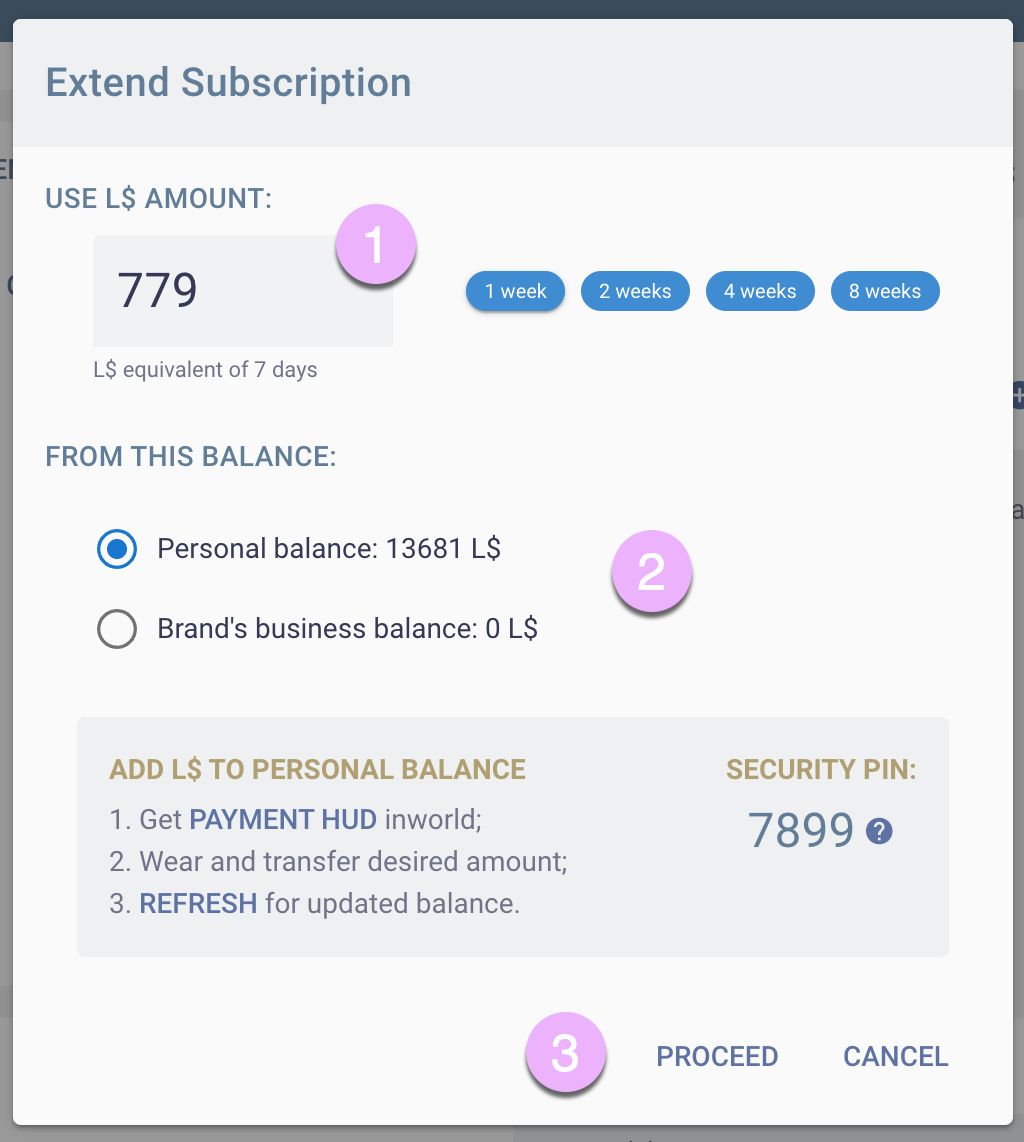
When you initiate a paid action on Blogotex.com, such as paying for a subscription, an ad, etc., a payment popup will appear.
- Enter the desired L$ amount manually or select a preset.
- Choose the balance to cover the purchase.
- Click “Proceed” to complete the payment.
Adding L$ to Your Personal Balance
From the same payment popup shown above, you can request a Payment HUD delivery inworld.After wearing the HUD, ensure the PIN codes match. Use the up/down arrows to adjust the amount you wish to deposit into your Blogotex Balance, then press the "Transfer L$" button. A dialog window will appear asking for permission to transfer the money to Blogotex.The transfer occurs as soon as you grant permission. This permission is granted for a single transfer only. If you wish to make another transfer, you must grant permission again.
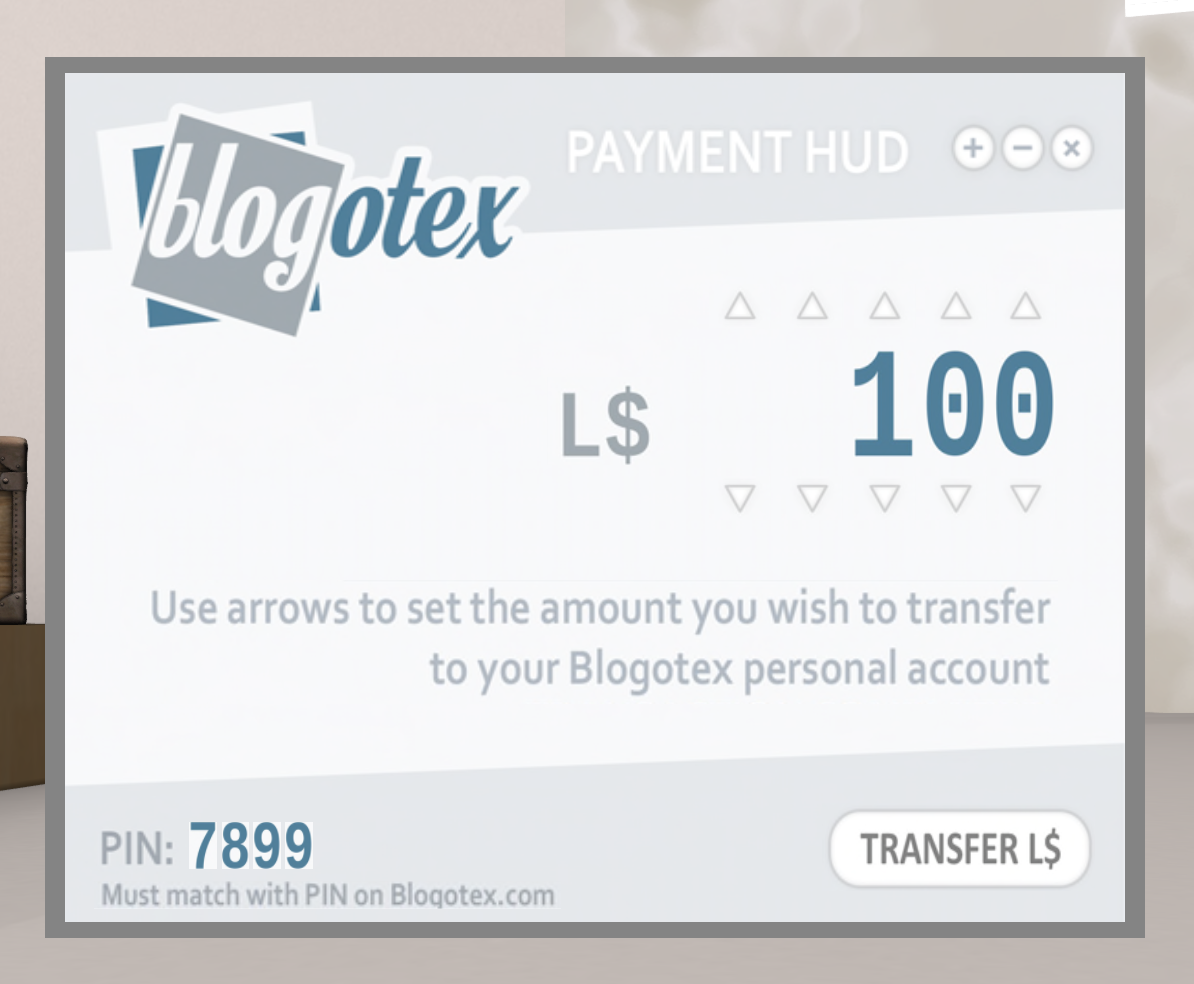
IMPORTANT: It's crucial to verify the PIN code match to ensure the HUD is authentic and guarantees the safety of the transaction.
Transferring L$ from Personal to Business Balance
As a brand owner, you can add L$ to your Business Balance. To do this, go to your brand’s Dashboard and click the plus circle marked with a red arrow. This will open the payment popup.
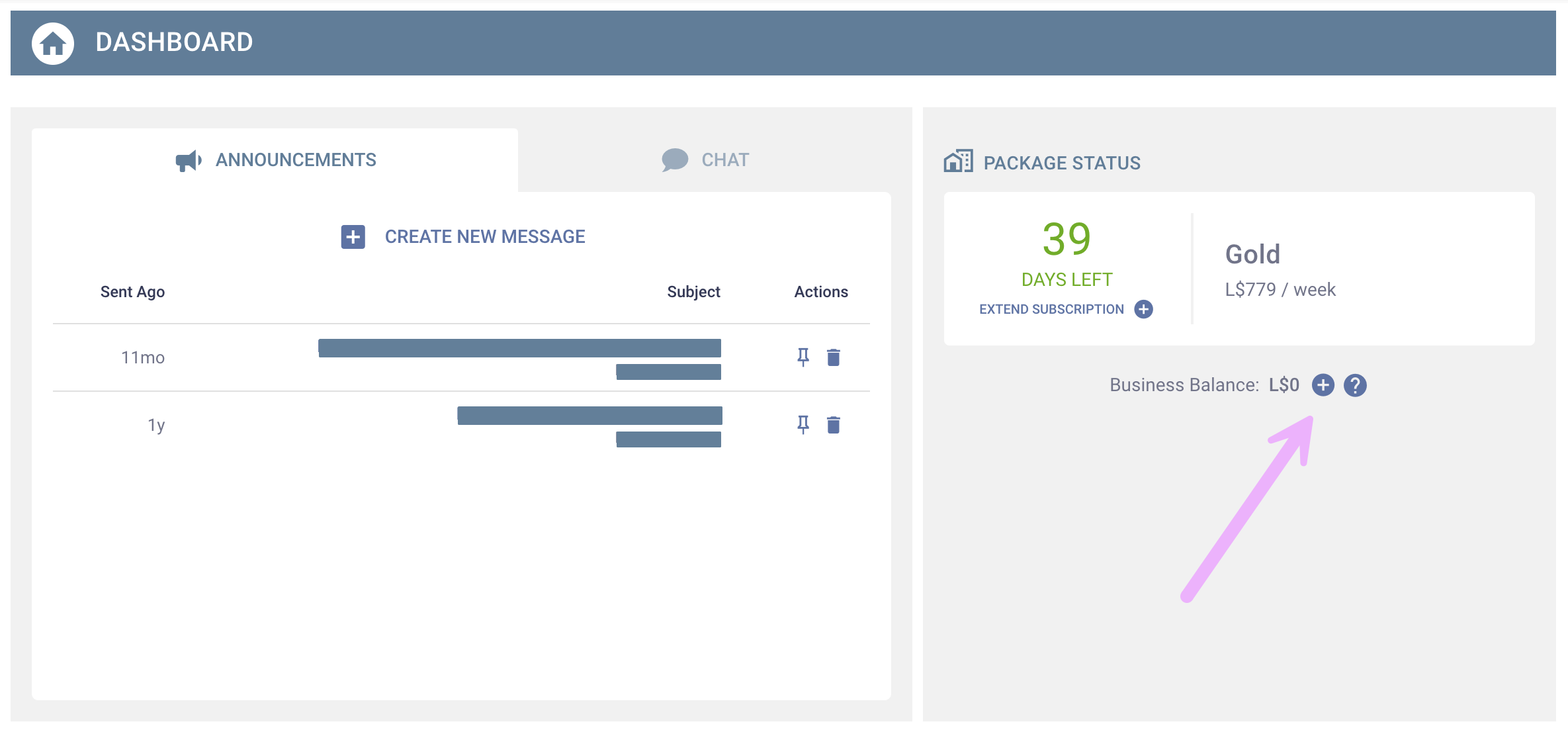
Once your Business Balance is funded, all your brand managers and co-creators can use these funds to extend your brand subscription, pay for advertisements, and purchase other brand related services. All transactions will be visible in your brand’s transaction history.
Reviewing Transaction History
To review your Personal Balance transaction history, click on your name in the top right corner and select “Personal Balance” from the dropdown menu.
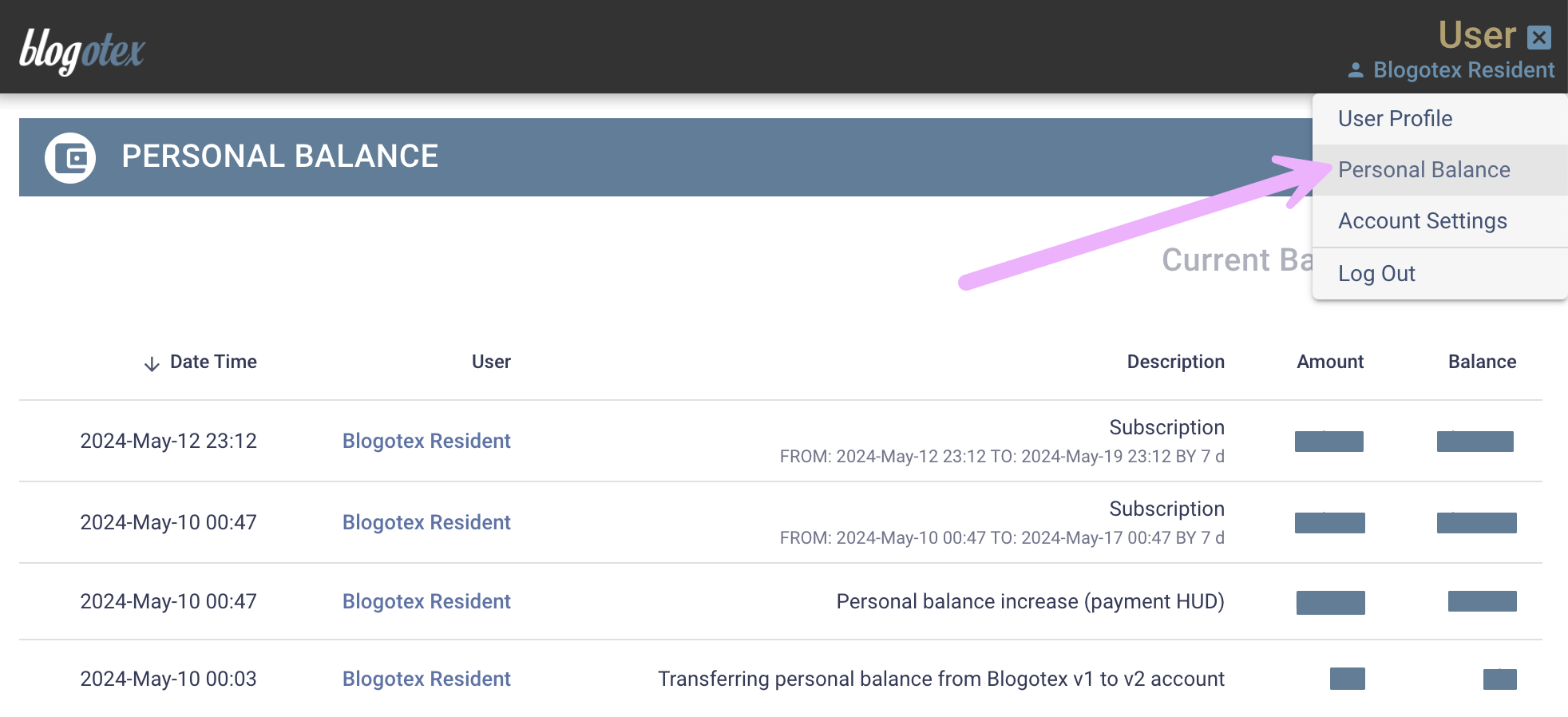
Brand owners can review their Brand Balance transaction history by clicking on the balance amount displayed on the brand's dashboard.